

Writing SEO content used to take me a lot of time. I had to research keywords, plan structure, and optimize everything manually.
Sometimes, even after all that effort, my content didn’t rank well. I knew I was missing something in the process.
That’s when I started using Rank Math Content AI. It helped me generate ideas, structure content, and optimize everything faster.
In this tutorial, I’ll show how I use Content AI to write SEO content quickly and more effectively.
What is Rank Math Content AI?
Rank Math Content AI is an AI-powered writing assistant built inside the Rank Math SEO plugin. It helps you create SEO-optimized content directly from your WordPress dashboard without switching between tools.
Instead of doing everything manually, Content AI can generate blog ideas, outlines, introductions, and even full paragraphs. It also provides SEO suggestions like keywords, headings, and content structure to improve your chances of ranking.
What makes it powerful is that it combines content creation and SEO optimization in one place. You don’t just write faster—you also write smarter with better optimization.
Key Features of Rank Math Content AI
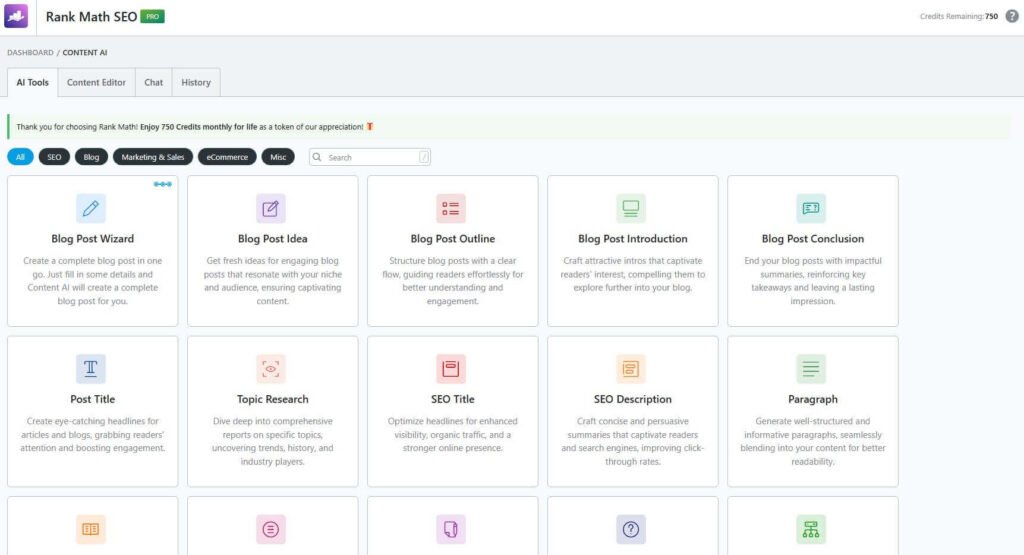
Rank Math Content AI comes with a wide range of tools that help you create, optimize, and improve your content faster. Instead of using multiple tools, you can manage everything directly inside your WordPress dashboard.
- Blog Post Wizard: Generate complete blog posts with AI in minutes
- Blog Post Ideas: Get content ideas based on your niche
- Content Outlines: Create structured outlines for better flow
- AI Introductions & Conclusions: Write engaging opening and closing sections
- SEO Title & Description Generator: Optimize metadata for better CTR
- Paragraph Generator & Rewriter: Create or improve content instantly
- Sentence Expander & Summarizer: Expand or shorten content easily
- Grammar Fixer: Improve clarity and correctness automatically
- Topic Research Tool: Discover trends and relevant subtopics
- Product Content Tools: Generate descriptions, pros & cons, and reviews
- FAQ Generator: Create SEO-friendly FAQ sections
- Social Media Content: Generate posts, tweets, and replies
These features make Content AI a complete solution for both writing and SEO. It helps you save time while creating high-quality, optimized content.
How to Get Started With Rank Math Content AI

To get started with Rank Math Content AI, first, you have to go to the Rank Math official website and then click on Content AI from the top bar.
Once you click on the Content AI, you’ll come to this page. Now you have to click on the Buy now button to see the pricing page of Rank Math content AI.

Rank Math Content AI offers three plans—Starter, Creator, and Expert—based on your content needs. The Starter plan is ideal for beginners, providing around 5,000 monthly credits along with access to core AI tools for writing and SEO optimization.
The Creator and Expert plans are designed for scaling content. Creator offers higher credits and more flexibility for regular content creators, while Expert provides the highest limits, advanced features, and support for multiple websites, making it perfect for agencies and high-volume users.
Now you have to choose one of the plans and click on the Buy now button. And complete the checkout process.
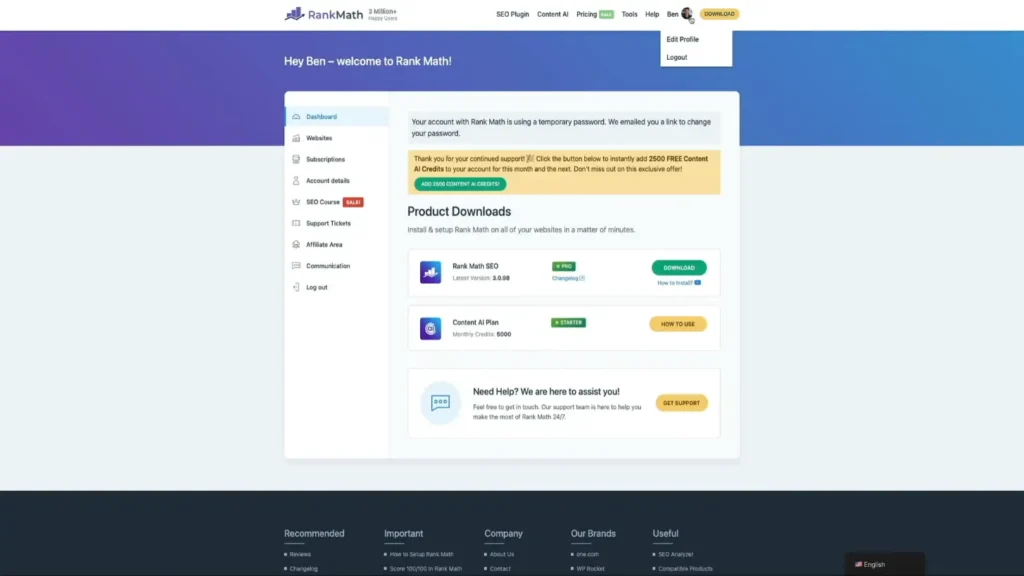
Then you have to click on the My Account text from the top bar and log in to your account. And click on the subscription sidebar to check out your recently purchased product.
Once you purchase Rank Math content AI, you have to connect your Rank Math account to your website to use your Rank Math credit.
How to Write Faster & Improve with Rank Math Content AI.
Let me show you how anyone can write faster and improve their existing writing with the help of Rank Math Content AI. Please note that Rank Math content AI is a premium feature.
So, you must purchase Content AI, or if you are using the Rank Math Pro user, then you’ll get some free credit with your plan.
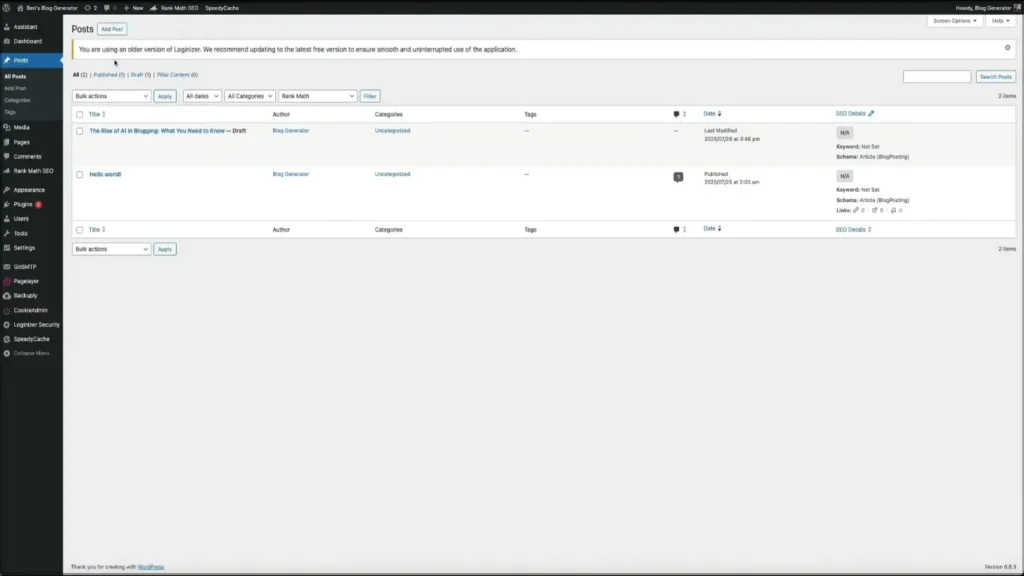
To write or improve your writing style, you have to decide what you want to edit in the post/page. Then open the post/page that you want to upgrade with the help of Rank Math Content AI.
How to Add More Content Between Paragraph

If you want to add more content between your paragraphs, then you have to press your ENTER key to add another paragraph. Then you have to press “//” to call Rank Math Content AI.
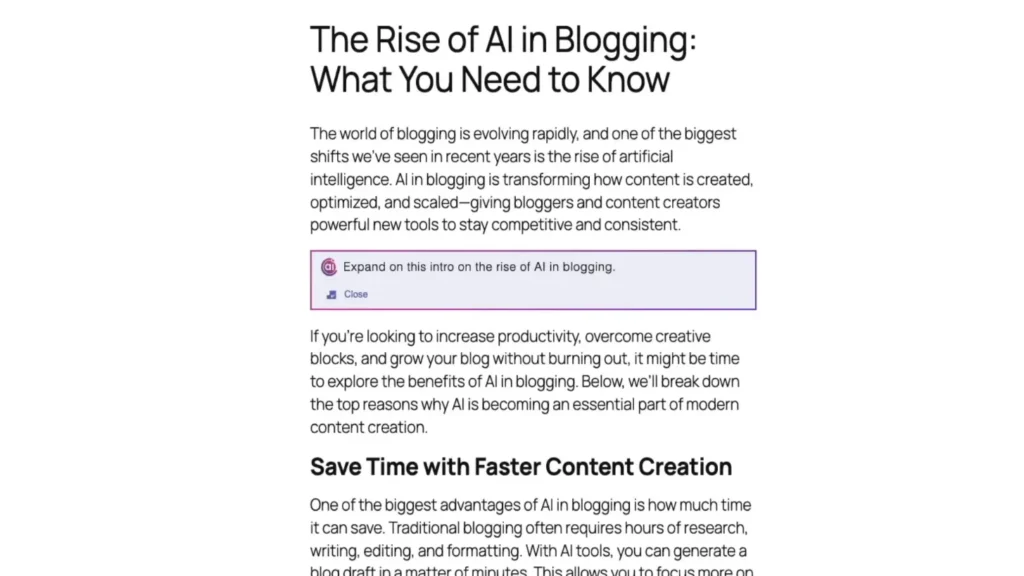
Then the Rank Math Content AI prompt box will open. Now, you need to type what you’re going to do. Let’s think about whether you want to add more sentences between these two paragraphs.
Then prompt something like this, “Expand to this intro on the rise of AI in blogging,” and hit your enter key.
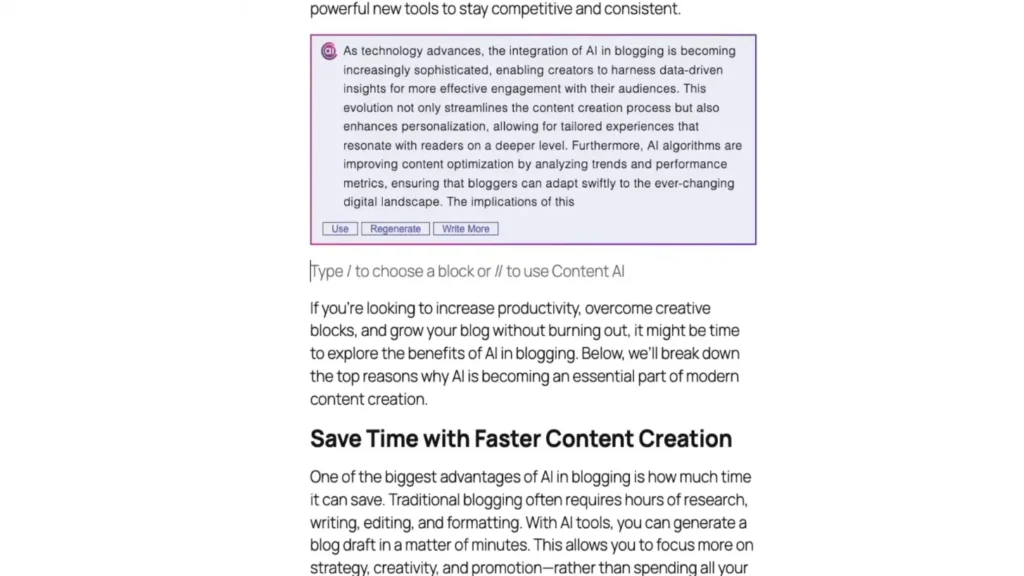
Then Rank Math AI will start to generate new text based on your requirements.
How to Upgrade/Write more/Fix Grammar/ Improve With Content AI
IF you want to change/upgrade your existing post, then this guide will help you to do this.
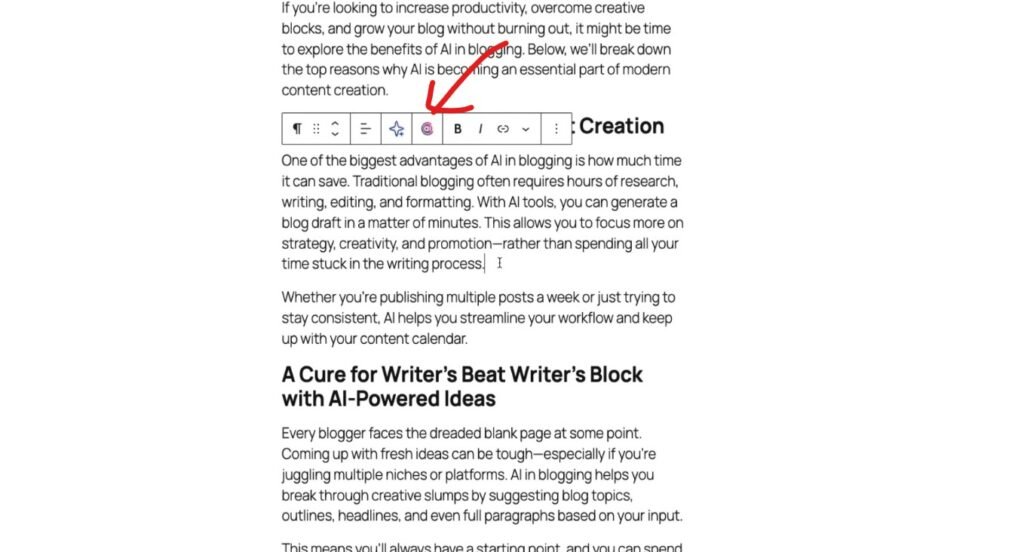
Lets think if you want to change or upgrade something from your existing content, then first you have to select the paragraph which you want to change with the help of Content AI.
Once you select the paragraph, this kind of top bar will appear. Now yyou haveto click on the Content AI icon.
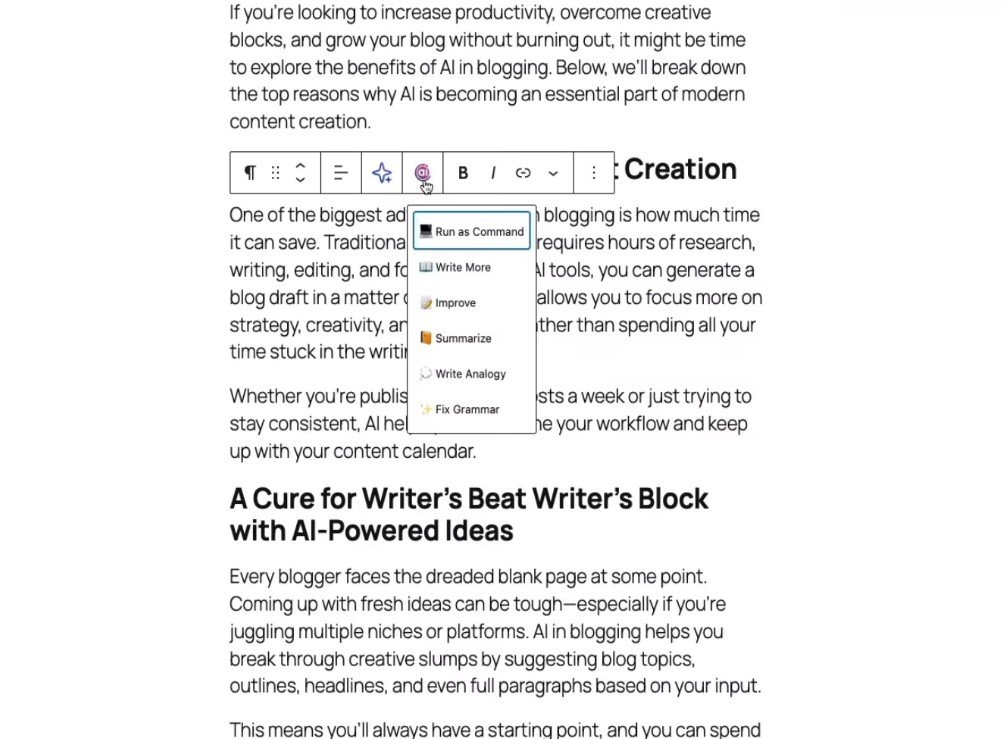
When you click the AI icon, a small menu appears with options like Write More, Improve, Summarize, Write Analogy, and Fix Grammar. These tools help you expand content, make it clearer, shorten it, or fix errors instantly, making the writing process faster and more efficient.
Let’s think if you want to improve this current paragraph, then you’ve selected Improve and wait for a few seconds.
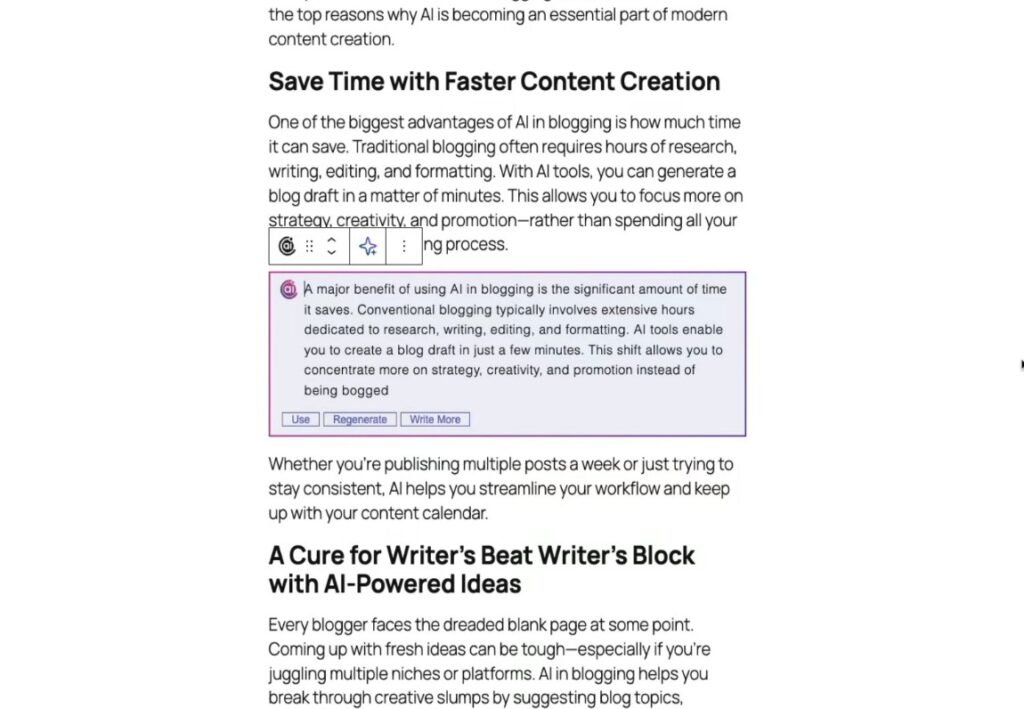
Then Content AI will start to write a better version of this paragraph. But if you didn’t like the current version, then you can easily Regenrate a brand new version of the paragraph.
Content AI Features

There is another Content AI feature to start with. You have to click on the Content AI Icon, like the Screenshot.
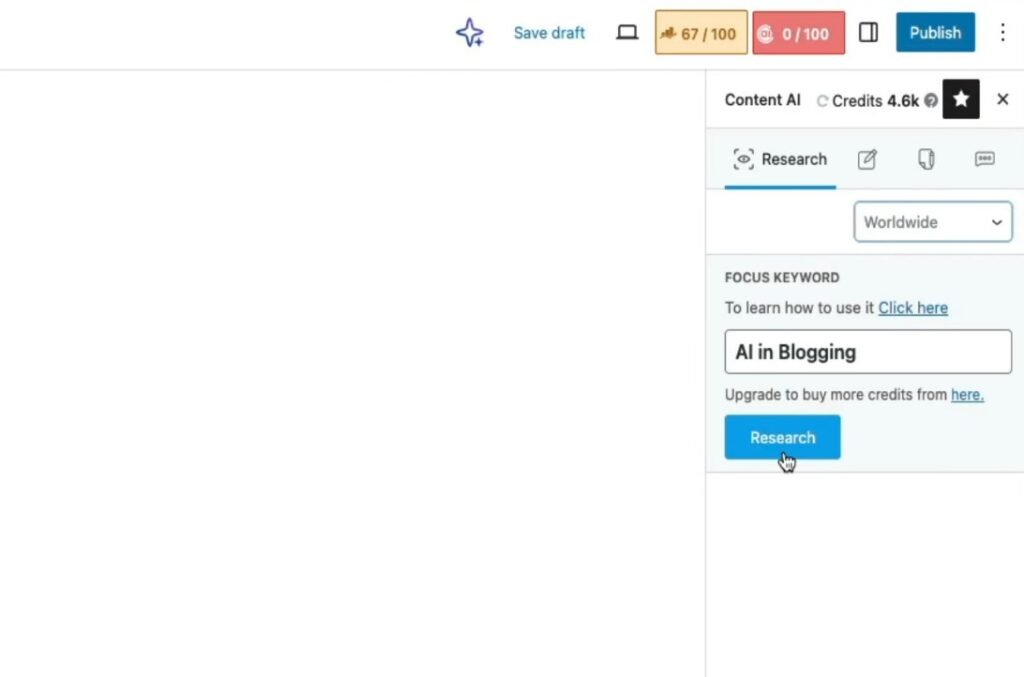
Once you’ve clicked on the Content AI icon, this page will open. Now you have to choose your default location, and add your keyword to the focus keyword box.
Then click on the research button to research the keyword with Rank Math Content AI features.
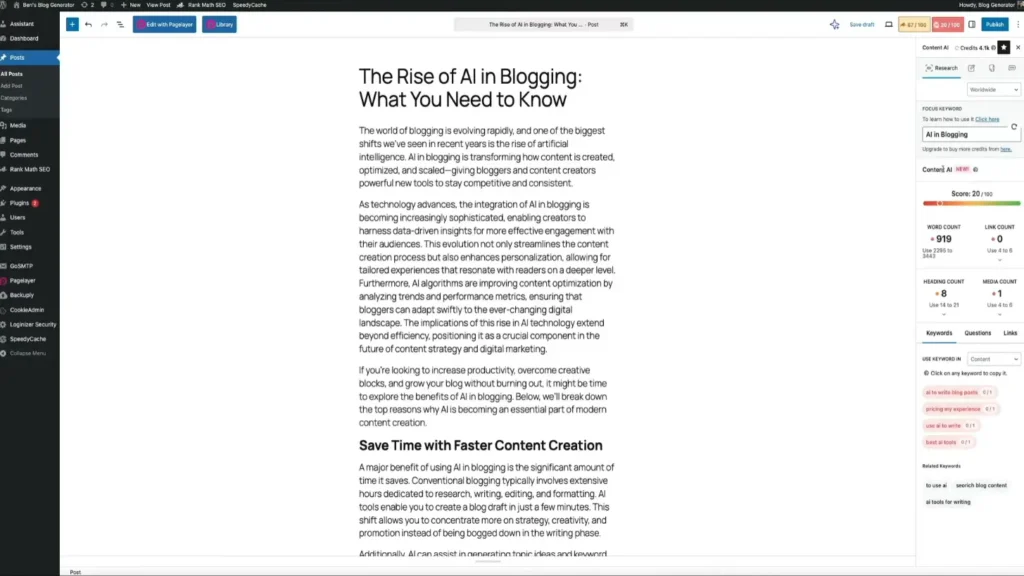
On the right panel, you can see the SEO score, word count, heading count, and keyword usage. It also suggests related keywords, questions, and improvements to help you optimize your content.
This makes it easy to write and optimize your article at the same time without using extra tools.
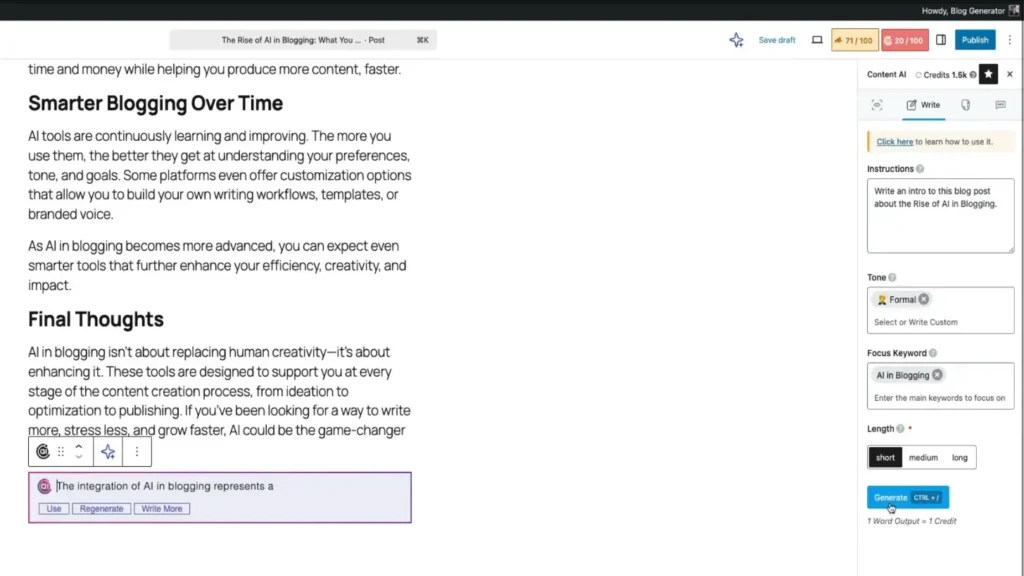
The next feature is Write, when you click on the Write tab, then this all section will open. To go with this, you have to give a quick introduction, add your tone, focus keyword, length, and lastly click on the generate button to produce more content.
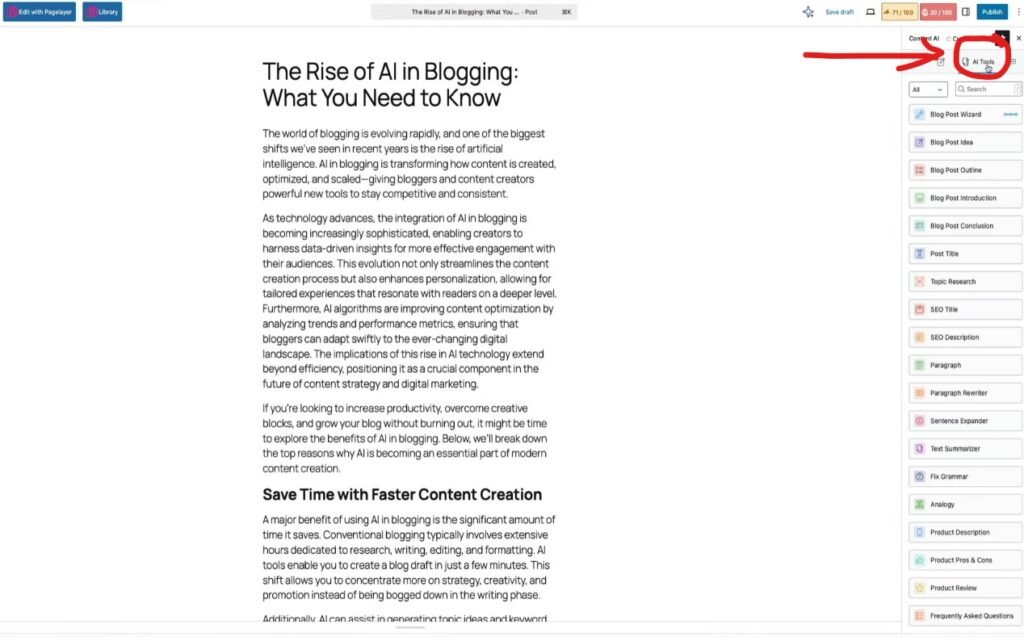
The AI Tools tab gives you access to all content creation features in one place. You can quickly generate blog ideas, outlines, introductions, and full paragraphs while writing inside the editor.
It also includes tools for SEO titles, meta descriptions, rewriting, summarizing, and grammar fixing. This helps you write faster, improve quality, and optimize your content without switching between different tools.
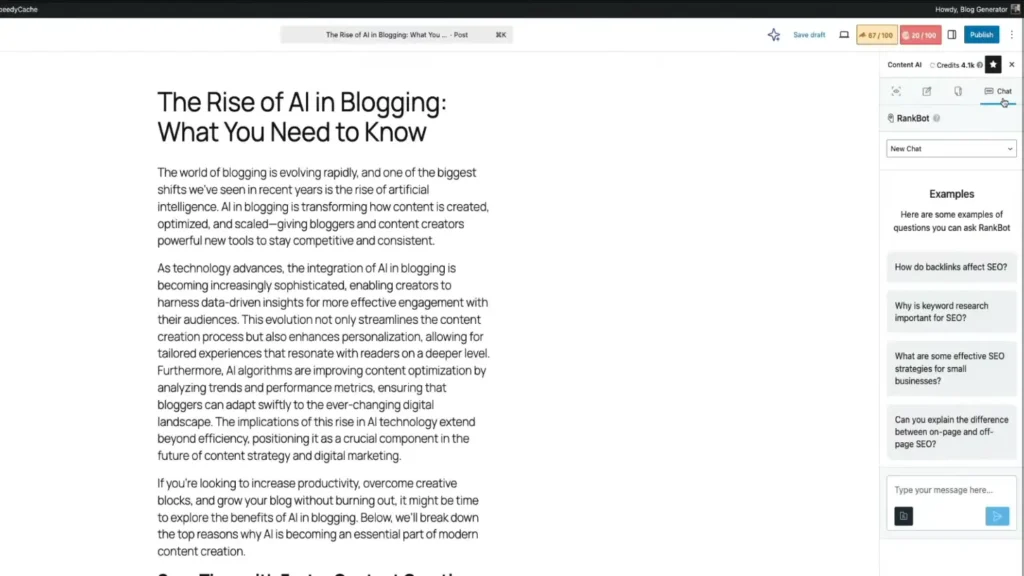
The Content AI Chat (RankBot) works like an AI assistant inside your editor. You can ask questions, get content ideas, or generate text without leaving your writing screen.
It also provides ready-made prompts like SEO questions, keyword research, and strategy tips. This helps you quickly get answers and improve your content while writing.
Manual Writing vs Content AI (Quick Comparison)
| Feature | Manual Writing | Content AI |
|---|---|---|
| Speed | Slow, takes hours to research and write | Very fast, generates content in minutes |
| Effort | High effort required | Low effort with AI assistance |
| SEO Optimization | Done manually, easy to miss things | Built-in SEO suggestions and guidance |
| Content Ideas | Need to research manually | Generates ideas instantly |
| Consistency | Hard to maintain regularly | Easy to stay consistent |
| Scalability | Difficult for large content sites | Easy to scale content production |
| Accuracy | Depends on your knowledge | AI-assisted but needs review |
| Editing Time | High | Lower with AI tools |
| Cost | Free but time-consuming | Paid but saves time |
Manual writing gives full control but takes time and effort. Content AI makes writing faster and easier, especially for scaling content.
Pros & Cons of Rank Math Content AI
Pros
- Generate content, ideas, and outlines in minutes
- Gives keyword and optimization suggestions
- Writing, editing, and SEO in one place
- Helps you publish content faster and consistently
- Includes templates for blogs, FAQs, products, and more
Cons
- AI content still requires human review
- Limited usage based on monthly credits
- Takes time to understand all features
- May produce generic content without personalization
- Full access requires a subscription
Who Should Use Rank Math Content AI?
Rank Math Content AI is ideal for bloggers and content creators who want to write faster without sacrificing SEO. It helps generate ideas, structure posts, and optimize content in less time.
It’s also a great fit for affiliate marketers and niche site owners. They can create optimized content at scale and improve rankings with built-in SEO suggestions.
For agencies and freelancers, it becomes even more powerful. Managing multiple clients and websites is easier when content creation and optimization are handled in one place.
Conclusion
Writing SEO content used to take a lot of time and effort. With Rank Math Content AI, the process becomes faster and more organized. You can generate ideas, write content, and optimize everything in one place.
It doesn’t replace human writing, but it makes your work easier and more efficient. You still have control, but now you have a smart assistant guiding you.
If you want to save time and improve your SEO workflow, it’s worth trying Rank Math Content AI. It helps you write better content faster, which is why I recommend giving it a try.
FAQ
It’s an AI-powered tool that helps you write and optimize SEO content inside WordPress.
No, it works on a credit-based system and requires a paid plan for full access.
No, it helps speed up writing, but you still need to edit and personalize content.
Yes, it provides keyword and optimization suggestions that help improve your SEO.
Yes, the interface is simple, but it may take some time to learn all the features.
Yes, you can create blog posts, product descriptions, FAQs, and more.
It depends on your usage, but higher plans give more monthly credits.
Yes, as long as you review and make the content natural and valuable.